Create a new customer account.
Do you already have a customer card? Here's how to set up your new customer account:
- Have your customer card ready.
- Select the desired top-up amount.
- Click on “Add to shopping cart”.
- Click on “Log in to buy”.
- Important: Click on “Create account” on your first visit to the new store.
- Check the box “Please select if you already have a customer card”.
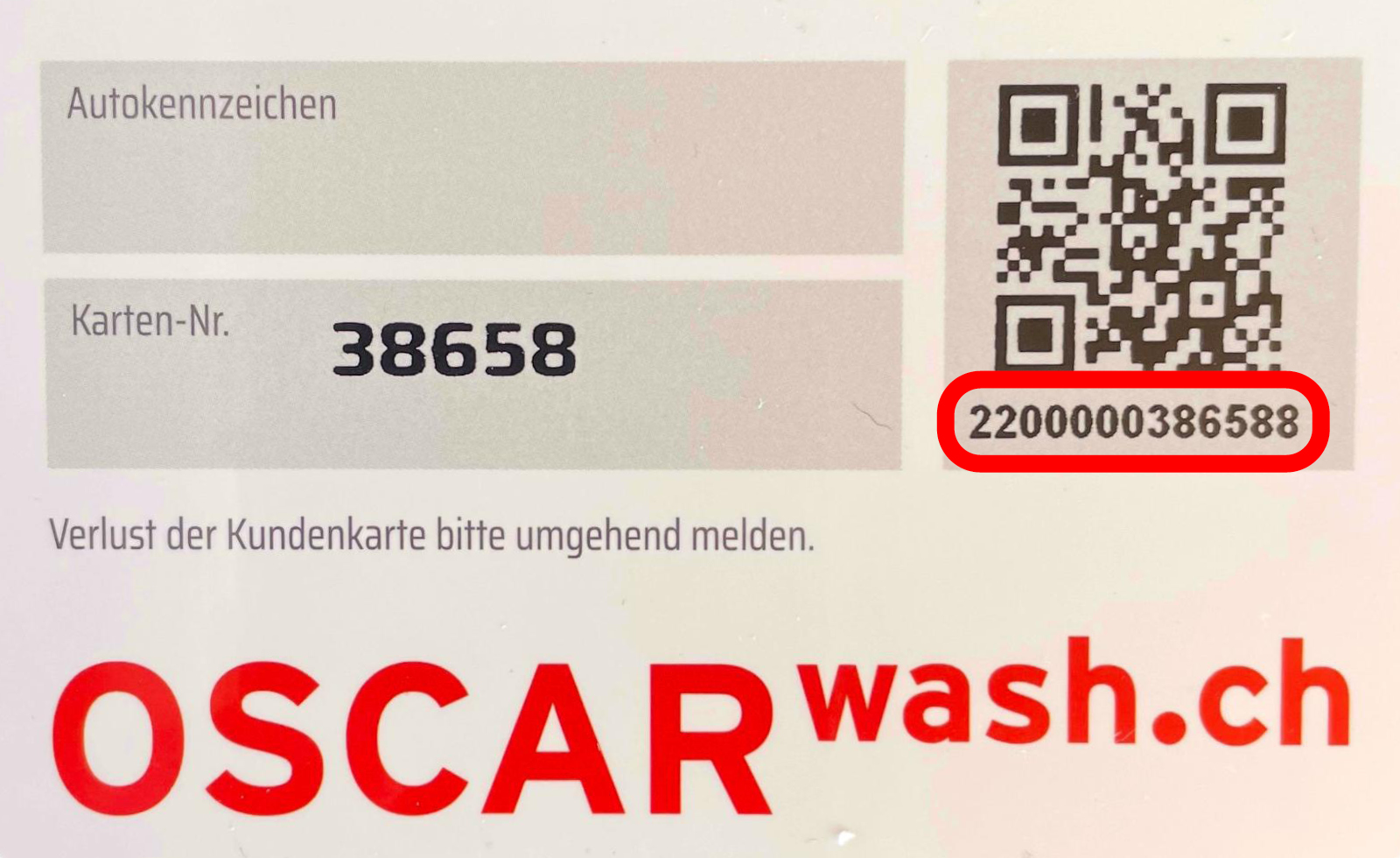
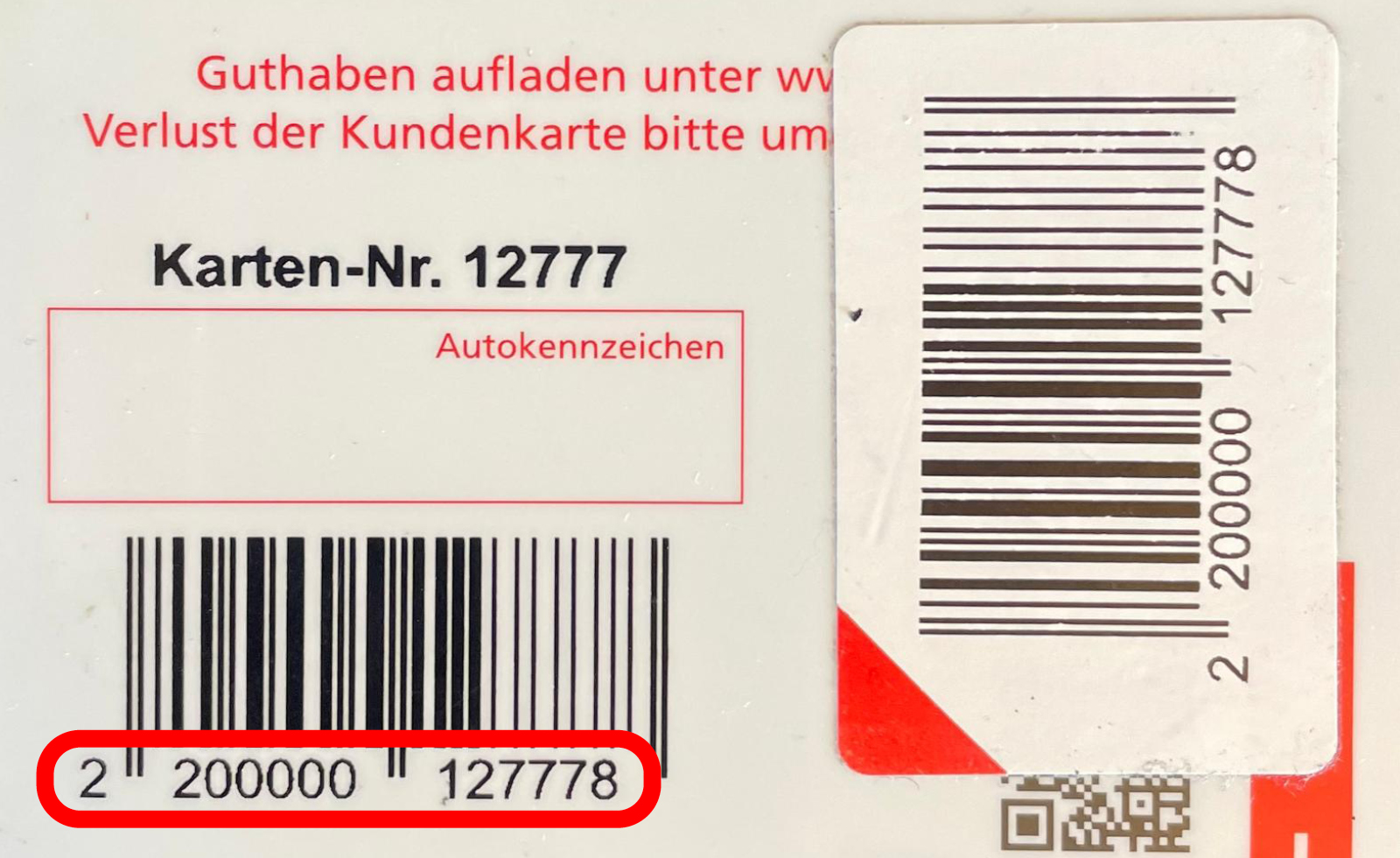
- Enter the 13-digit EAN code (see pictures below).
- Enter all other details. Those with an asterisk (*) are mandatory. Choose your password: Preferably with lower and upper case letters as well as numbers and special characters.
- Click on “Create”.
- View your shopping cart and click on “Check out”.
- Select your payment method and click on “Buy now”.
- You will receive an e-mail confirming your order.